Dynamic SCORM: Update LMS Courses Without Re-Uploading
Learn what Dynamic SCORM is, how it works, when to use it, and how ScormStack lets you update LMS courses after the first upload.
Dynamic SCORM is a better way to manage courses that keep changing after launch. Instead of exporting a new SCORM zip file every time you fix a typo, update a translation, replace a video, or adjust a slide, you upload one lightweight SCORM package to your LMS and publish future changes from your authoring tool.
For teams that maintain compliance training, onboarding courses, product education, or multi-language learning content, that can remove a lot of LMS admin work.
This guide explains what Dynamic SCORM means, how it differs from static SCORM, when it is worth using, and how ScormStack supports both dynamic and manual SCORM update workflows.
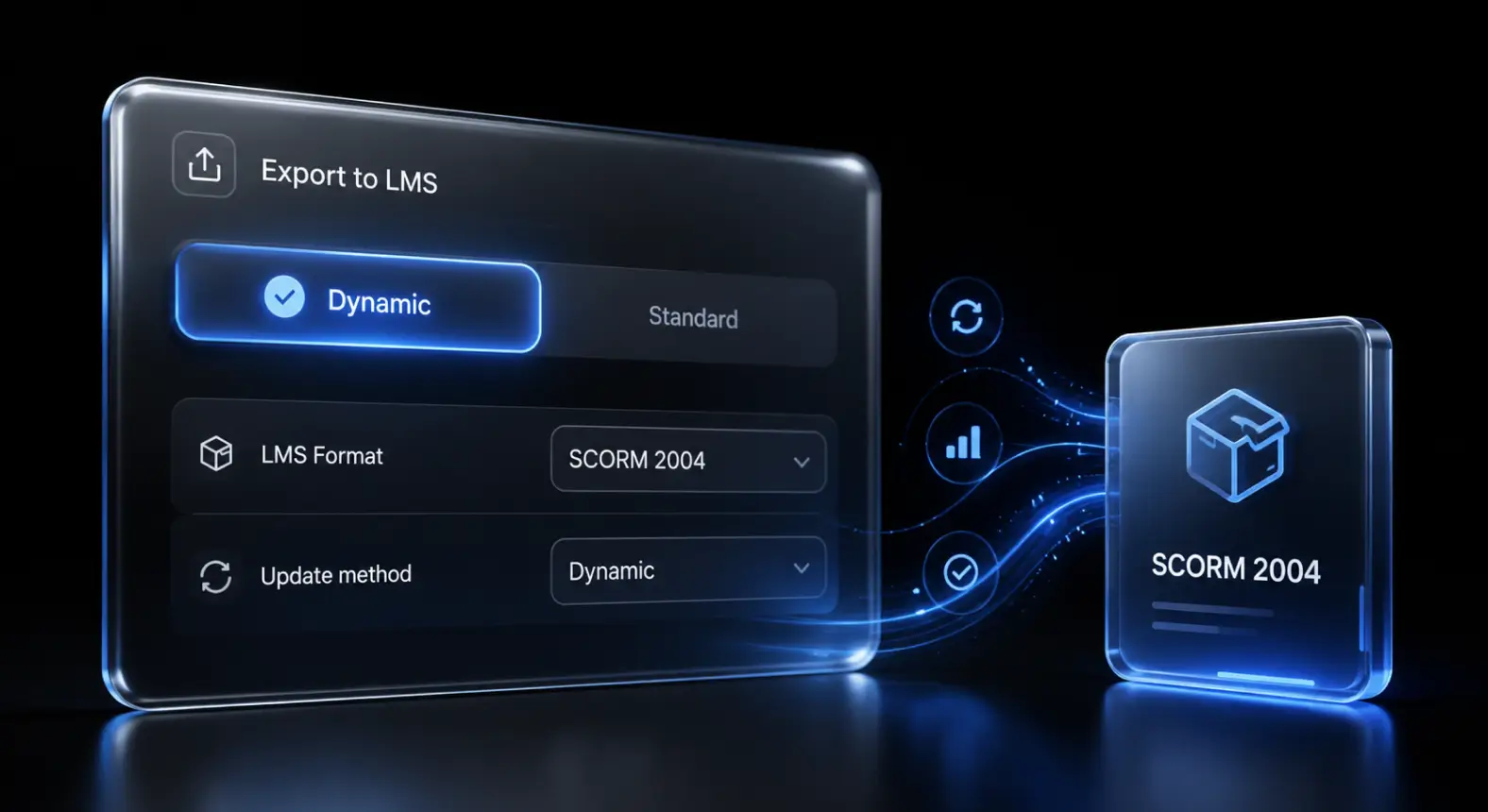
What is Dynamic SCORM?
Dynamic SCORM is a SCORM package that connects your LMS to course content hosted outside the LMS. The LMS still launches the course and receives SCORM tracking data, but the course content can be updated after the package has already been uploaded.
In a traditional SCORM workflow, the package is usually a full .zip file that contains the course HTML, CSS, images, videos, quizzes, the imsmanifest.xml file, and the JavaScript layer that talks to the LMS.
In a Dynamic SCORM workflow, the uploaded package is lighter. It acts more like a launcher. When the learner opens the course, the package loads the latest published content from the authoring platform.
That means:
- You upload the SCORM package to the LMS once.
- You keep editing the course in ScormStack.
- You publish updates from ScormStack when changes are ready.
- Learners see the latest published version the next time they launch the course.
The LMS remains the system of record for launch and SCORM completion data, while the authoring tool becomes the source of truth for course content.
Dynamic SCORM vs static SCORM
The easiest way to understand Dynamic SCORM is to compare it with the normal static package workflow.
| Workflow | Static SCORM | Dynamic SCORM |
|---|---|---|
| LMS upload | Upload a full course zip | Upload a lightweight package once |
| Course files | Stored inside the LMS package | Hosted and updated from the authoring tool |
| Small edits | Re-export and re-upload | Publish an update from ScormStack |
| Media updates | Replace the LMS package | Update hosted media |
| Translation fixes | Rebuild language packages | Publish updated language content |
| Best for | Offline, archived, rarely changing courses | Live courses that need ongoing maintenance |
Static SCORM is still useful. If your organization needs a fully bundled file for a locked-down LMS, offline access, archiving, or strict compliance snapshots, manual SCORM exports are often the right choice.
Dynamic SCORM is better when the course is alive: content changes, translations improve, policies shift, videos get replaced, and authors need a faster way to keep LMS content current.
How Dynamic SCORM works
Dynamic SCORM still follows the basic SCORM launch pattern:
- The learner clicks the course in the LMS.
- The LMS launches the SCORM package.
- The package initializes the SCORM connection.
- The course reports progress, completion, success, score, time, and resume data back to the LMS.
- The learner exits, and the course saves the session cleanly.
The difference is where the course content comes from.
With static SCORM, the package contains everything. With Dynamic SCORM, the package loads the current published course from ScormStack. The SCORM communication still happens, but the course content is not frozen inside the original LMS upload.
That makes a practical difference for everyday course maintenance. If a product screenshot changes, you do not need to ask an LMS administrator to replace the package. If a French translation has a typo, you can fix it in ScormStack and update the current dynamic version. If a lesson needs a new slide, you can publish that change without creating another LMS upload cycle.
Example: updating a compliance course
Imagine a data privacy course that has already been uploaded to your LMS. A month later, the legal team changes the wording in one policy section.
With static SCORM, the usual workflow looks like this:
- Open the course in the authoring tool.
- Edit the policy text.
- Export a new SCORM zip file.
- Send the file to the LMS administrator.
- Replace the old package in the LMS.
- Test that tracking, completion, and resume still work.
With Dynamic SCORM, the workflow is shorter:
- Edit the policy text in ScormStack.
- Publish the update to the current dynamic package.
- Test the launched LMS course.
The LMS package can stay in place. Learners get the updated policy the next time they launch the course.
Example: fixing translations after launch
Multi-language courses are one of the clearest use cases for Dynamic SCORM.
Static SCORM can become messy when every language needs its own package. A small translation fix may require several exports, several LMS uploads, and several rounds of testing.
With ScormStack Dynamic SCORM updates, a dynamic package can use one language or all available languages. That makes it easier to correct translated content after rollout without rebuilding every LMS package from scratch.
For example, you might launch onboarding in English, French, Spanish, and Portuguese. If the Portuguese version needs a label change, the author can update the translation and publish the current dynamic version. The LMS entry does not need to change.
Example: replacing media in a live course
Media-heavy courses are another good fit. Videos, documents, audio narration, images, and screenshots change often, and they can make static SCORM packages large.
Dynamic SCORM keeps media hosted online by design. In ScormStack, that means course media can keep changing after the package has been uploaded to the LMS.
Use this for:
- Product training with screenshots that change after each release.
- Sales enablement with frequently updated pitch decks or PDFs.
- Safety training with revised diagrams or field photos.
- Courses with audio narration that may need re-recording.
- Localization workflows where translated media arrives after the first launch.
Instead of treating the LMS as a file cabinet full of old zip files, Dynamic SCORM keeps the LMS launch stable while the content stays maintainable.
ScormStack Dynamic SCORM updates
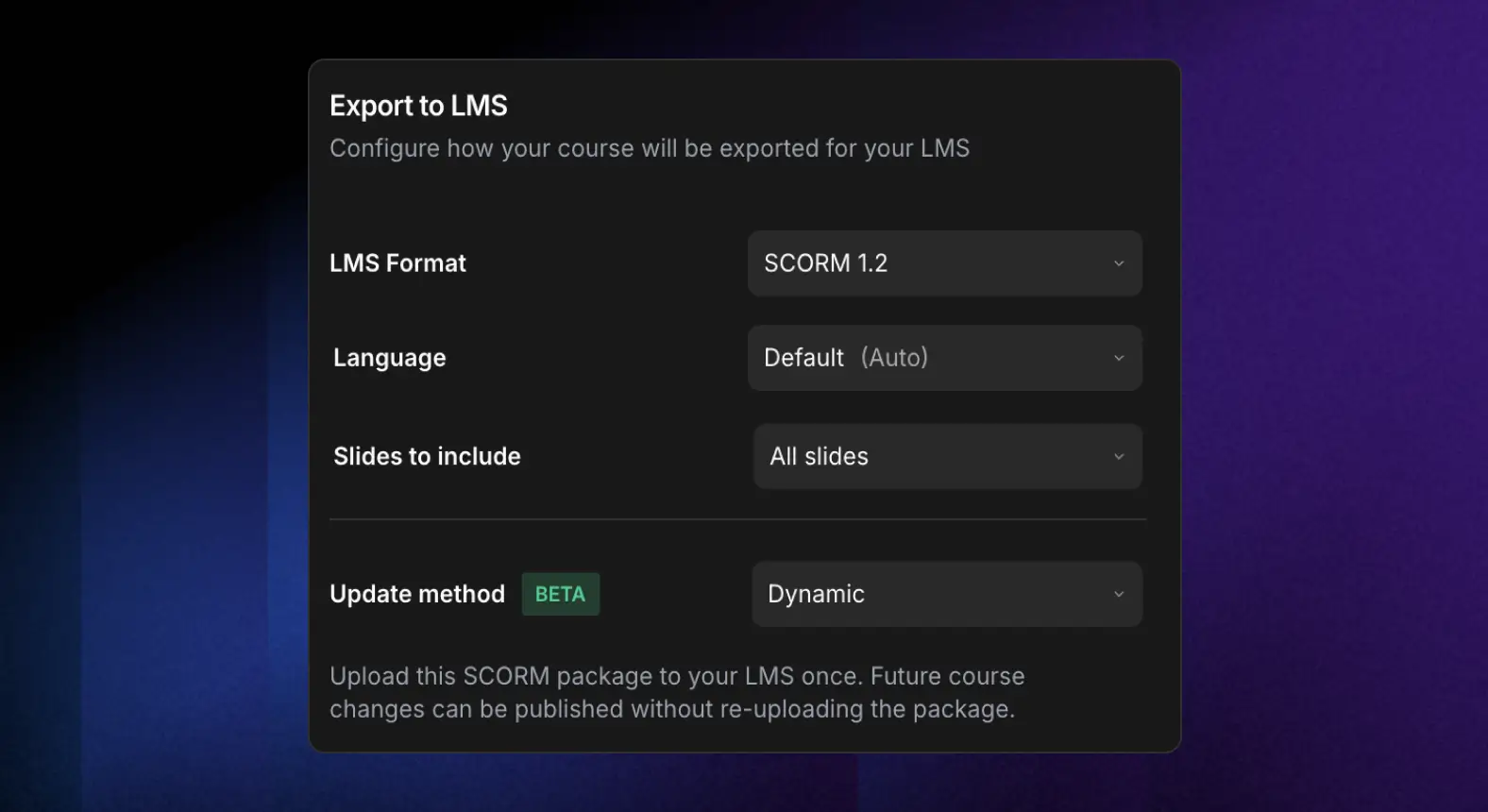
ScormStack supports two update methods when exporting SCORM:
- Manual updates: Download and upload a new package for each course change.
- Dynamic updates: Upload the package to your LMS once, then publish future changes from ScormStack.
When a dynamic SCORM package already exists, ScormStack shows the published version and lets you update it in place. You can also reopen the version settings and adjust options such as language, slide selection, progress tracking, and learner identification before publishing changes to the current version.
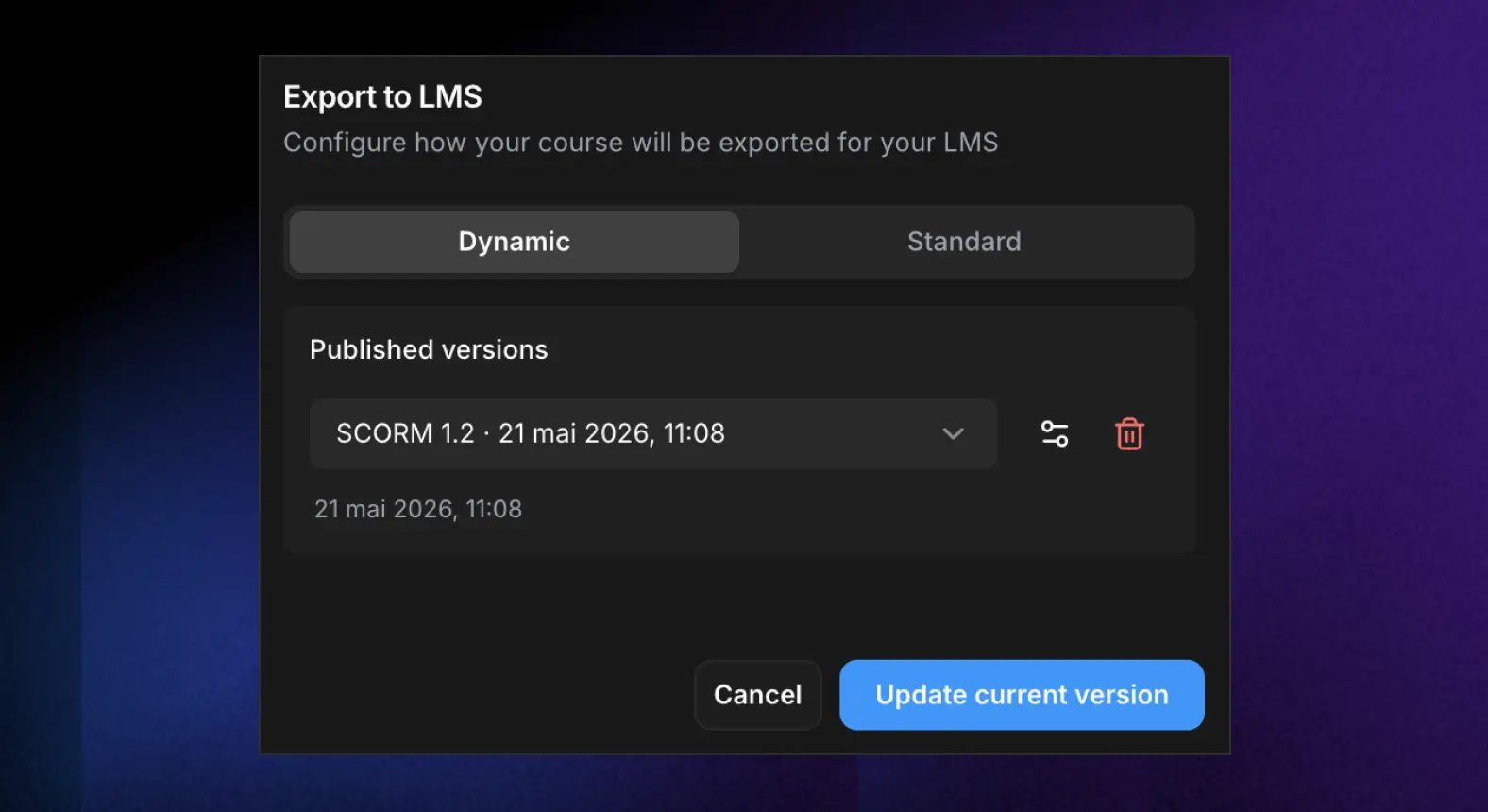
This gives authors more control without removing the ability to create a traditional SCORM package when needed.
Benefits of Dynamic SCORM
Fewer LMS uploads
The biggest benefit is simple: fewer upload cycles. Small edits no longer require a new zip file, a handoff to an LMS administrator, and another replacement process.
One source of truth
Authors keep improving the course in ScormStack. The LMS keeps launching the same package. This reduces confusion around which zip file is the latest version.
Faster content corrections
Training content often changes because of learner feedback, policy changes, product releases, accessibility improvements, and translation reviews. Dynamic SCORM helps teams respond faster.
Better localization maintenance
If you manage courses in multiple languages, Dynamic SCORM can reduce repeated export and upload work. Translation corrections can be published from the authoring environment.
Lighter package management
Because the uploaded package is not carrying every media asset forever, Dynamic SCORM is useful for courses with images, documents, audio, and other assets that change over time.
Room for more flexible learning experiences
A live connection makes it easier to support richer workflows over time, such as adaptive learning paths, updated slide selections, and more responsive content maintenance.
When should you use Dynamic SCORM?
Use Dynamic SCORM when:
- The course is likely to change after launch.
- LMS uploads require admin approval or long turnaround times.
- You maintain multi-language course versions.
- Your course contains media that may need updates.
- You want learners to see the latest published content.
- You need to fix content quickly without rebuilding the LMS package.
Common examples include compliance training, product training, employee onboarding, sales enablement, partner education, customer education, and fast-changing internal procedures.
When static SCORM is still the right choice
Dynamic SCORM is not always the best option.
Use static SCORM when:
- The LMS or learner environment must work offline.
- Your organization requires fully bundled files for archiving.
- Security rules do not allow externally hosted course content.
- The course rarely changes after publication.
- You need a fixed compliance snapshot for a specific period.
This is why ScormStack keeps both options available. Dynamic updates are useful for live courses. Manual exports are useful when you need a self-contained package.
Dynamic SCORM and SCORM 1.2 vs SCORM 2004
Dynamic SCORM changes how the course content is delivered, not the core reason SCORM exists.
You still need to choose the SCORM version that fits your LMS and reporting needs:
- SCORM 1.2 is widely supported and works well for straightforward completion and score tracking.
- SCORM 2004 is useful when you need clearer separation between completion and success, more resume data, or richer sequencing support.
If your priority is maximum compatibility, SCORM 1.2 is often the safest choice. If your LMS supports SCORM 2004 and you need more detailed status behavior, SCORM 2004 may be better.
Dynamic SCORM does not replace good testing. You should still test launch behavior, completion, success, score, resume, and exit handling in your target LMS.
Testing checklist before launch
Before rolling out a Dynamic SCORM package, test it like any other SCORM course:
- Upload the dynamic package to your LMS.
- Launch the course as a learner.
- Move through several slides or blocks.
- Complete an assessment if the course has one.
- Confirm progress, completion, success, score, and time are reported correctly.
- Exit halfway through and relaunch to confirm resume behavior.
- Publish a small content update from ScormStack.
- Relaunch the LMS course and confirm the update appears.
- Test each language if the package includes multiple languages.
For high-stakes training, keep a clear change log of what changed and when it was published.
Common mistakes to avoid
Treating dynamic updates as unreviewed drafts
Dynamic SCORM makes publishing easier, so teams should still define review rules. Decide who can publish updates and when changes should go live.
Forgetting LMS-specific testing
SCORM implementations vary. A package that works in one LMS may behave differently in another. Always test in the actual LMS your learners use.
Using Dynamic SCORM where offline access is required
Dynamic SCORM depends on hosted content. If learners need access in a closed or offline environment, use a manual static SCORM export instead.
Losing track of compliance versions
If the course is part of a regulated workflow, document the published version, the date, and the content changes. Dynamic updates should still be auditable.
FAQ: Dynamic SCORM
What is Dynamic SCORM?
Dynamic SCORM is a SCORM package that launches from the LMS but loads course content from a hosted authoring environment. This lets authors update the course after the first LMS upload.
Do I need to re-upload the SCORM package after every edit?
Not when you use Dynamic SCORM. You upload the package once, then publish future content updates from ScormStack.
Does Dynamic SCORM still track completion and scores?
Yes. The LMS still launches the SCORM package and receives SCORM data such as progress, completion, success, score, time, and resume information.
Does Dynamic SCORM work with every LMS?
Dynamic SCORM is designed for SCORM-compliant LMSs, but LMS launch behavior can vary. Always test the package in your target LMS before full rollout.
Is Dynamic SCORM better than static SCORM?
It depends on the course. Dynamic SCORM is better for content that changes often. Static SCORM is better for offline use, strict archived snapshots, or locked-down environments.
Can I use Dynamic SCORM for translated courses?
Yes. Dynamic SCORM is especially useful for translated courses because language fixes can be published without rebuilding and re-uploading every package.
What happens if the internet is unavailable?
Because Dynamic SCORM loads hosted content, learners need a working connection. If offline access is required, use a static SCORM package.
Final thoughts
Dynamic SCORM solves one of the most frustrating parts of SCORM course maintenance: repeating the export, upload, replace, and retest cycle for every small change.
With ScormStack, you can choose the workflow that fits the course. Use Dynamic updates for live courses that need ongoing corrections, translation updates, media changes, and slide revisions. Use Manual updates when you need a fully bundled SCORM package that does not depend on hosted course content.
If your LMS courses change after launch, Dynamic SCORM can save time for authors, reduce work for LMS administrators, and help learners see the most current version of your training.
Start building and updating SCORM courses with ScormStack.