Understand course performance
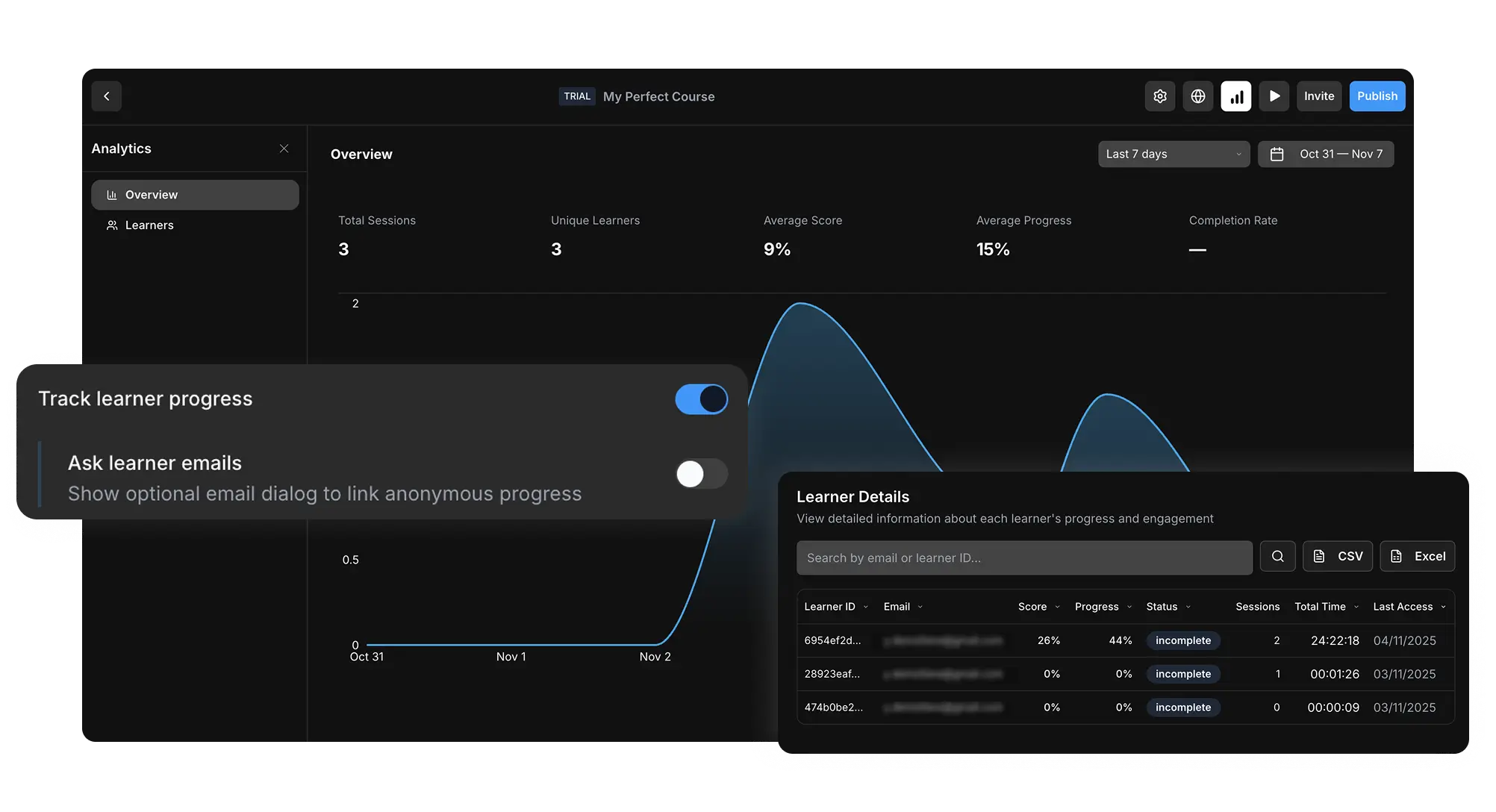
The analytics overview gives you the core signals you need to see whether learners are launching, progressing through, and completing your course.
Total sessions
Measure how often learners launch the course across the selected date range
Unique learners
See how many individual learners reached your course, even outside a traditional LMS
Scores and completion
Monitor average score, average progress, and completion rate from one dashboard
Timeline trends
Use date ranges to understand activity over time and spot spikes or drop-offs
Inspect every learner record
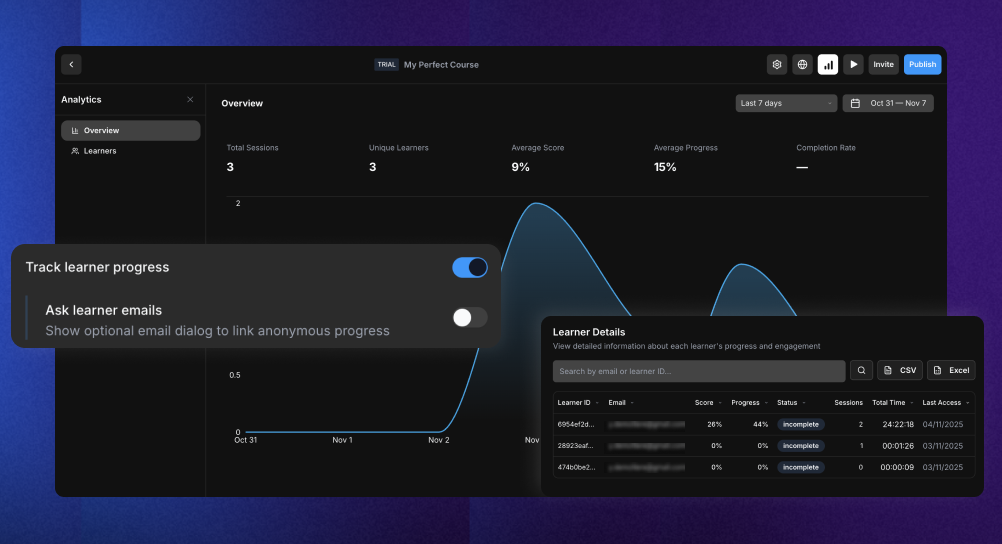
Open the learner table to search, sort, export, and review learner-level progress details.
Search and sort learners
Find a learner by email or ID and sort by score, progress, status, sessions, or time spent
CSV and Excel export
Export learner data for reporting, audit trails, or deeper analysis in spreadsheets
Optional email prompt
Ask learners for an email address when you need identifiable progress outside an LMS
Date range filters
Review recent activity or compare longer training windows with flexible date ranges

Start building in minutes
Join thousands of e-learning professionals and teams who've made the switch to ScormStack to turn ideas into high-performing courses, fast.